

If you’re selling on Amazon, you’ve probably heard of an Amazon ASIN Label. But what exactly are ASINs? ASIN stands for Amazon Standard Identification Number, a unique code assigned to every product in Amazon’s catalog. It’s how Amazon keeps track of millions of items. Whether you’re adding a new product or listing an existing one, understanding ASINs is key. In this article, we’ll break down what ASINs are, how to get them, and why they’re important for your online business. From avoiding common mistakes to using Amazon’s tools, we’ve got you covered.
Key Takeaways
- ASINs are unique identifiers for products on Amazon, crucial for managing listings.
- Creating an ASIN can be done for both new and existing products, but requires specific steps.
- Avoiding duplicate ASINs is important to prevent listing issues and potential selling restrictions.
- Amazon offers tools like ‘Add a Product’ to help manage ASINs effectively.
- Understanding ASINs can enhance product visibility and streamline inventory management.
Understanding Amazon ASIN Labels

What is an ASIN?
An ASIN, or Amazon Standard Identification Number, is a unique code used by Amazon to identify products in its vast catalog. This code consists of 10 characters, a mix of numbers and letters, and is crucial for organizing and categorizing the millions of products available on Amazon. Every product listed on Amazon has its own ASIN, which helps both sellers and buyers find specific items quickly.
Importance of ASIN in Product Listings
ASINs play a vital role in how products are displayed and discovered on Amazon. They ensure that each product is correctly indexed, making it easier for customers to find what they’re looking for. Here are some key points about the importance of ASINs:
- Unique Identification: Each ASIN is unique to a product, helping avoid confusion with similar items.
- Inventory Management: Sellers use ASINs to track their inventory and sales.
- Enhanced Searchability: ASINs improve the accuracy of search results on Amazon.
How ASINs Differ from Other Identifiers
ASINs are just one type of product identifier used in global commerce. Here’s how they compare to others:
| Identifier | Products | Territory | Marketplace |
| ASIN | Any | International | Amazon |
| ISBN | Books, eBooks | International | Any |
| EAN | Any | Europe | Any |
| UPC | Any | US and Canada | Any |
While ASINs are specific to Amazon, other identifiers like ISBNs, EANs, and UPCs are used globally for various products. For instance, ISBNs are primarily for books, while EANs and UPCs are used in retail settings worldwide. ASINs, however, are integral to Amazon’s ecosystem, providing a streamlined way to manage and showcase products within their platform.
Steps to Obtain an Amazon ASIN Label
Creating an ASIN for Existing Products
If you’re selling a product that’s already listed on Amazon, you can easily create an ASIN by matching your product to an existing listing. Here’s how you can do it:
- Log into Seller Central and navigate to the “Add a Product” section under the Catalog drop-down.
- Use the search bar to find your product by entering identifiers like UPC, EAN, or ISBN. This helps ensure accuracy.
- Once you find your product, click on “Show variations” if there are any, and select the appropriate condition.
- Click “Sell this Product” and fill in your offer details such as price, quantity, and shipping options.
- Hit “Save” to complete the listing.
Pro Tip: Always double-check the product details to avoid errors when matching to an existing listing.
Generating an ASIN for New Products
For products that are new to Amazon, you’ll need to create a fresh ASIN. This involves setting up a new product detail page:
- Go to “Add a Product” and select “Create a new product.”
- Fill out the form with your product’s specifics, including name, brand, color, and size. Make sure to include a unique GTIN, which could be a UPC, EAN, or ISBN.
- Submit the information, and Amazon will generate a new ASIN for your product.
Remember: New sellers can initially create a limited number of new ASINs until they build a sales history.
Common Mistakes to Avoid
Creating ASINs can be tricky, especially for newcomers. Here are some pitfalls to watch out for:
- Duplicate Listings: Double-check if the product already exists to avoid unnecessary duplicates.
- Incorrect Product Details: Make sure all information is accurate to prevent listing issues.
- Missing GTIN: Always include a valid GTIN, as it’s required for new product listings.
By following these steps and avoiding common mistakes, you can efficiently manage your ASINs and ensure your products are correctly listed on Amazon. For more detailed guidance, refer to our steps to create a new listing on Amazon.com.
Utilizing Amazon Tools for ASIN Management
Amazon’s ‘Add a Product’ Tool
If you’re selling on Amazon, you might want to check out their ‘Add a Product’ tool. It’s in your Seller Central account and is pretty straightforward. You manually enter all the product details, and boom, you’re set. This approach is great for learning the ropes of Amazon’s system. But if you’re dealing with a bunch of products, it might not be the best way to go about it.
Third-Party ASIN Lookup Tools
Sometimes, you need a little extra help, and that’s where third-party ASIN lookup tools come in. Tools like asintool and Algopix offer solutions to find and manage ASINs easily. These tools can save you time, especially if you’re managing a large inventory. They let you search for existing ASINs, ensuring you don’t accidentally create duplicates.
Managing ASINs for Multiple Products
Once your listings are live, keeping them organized is key. Here are a few tips:
- Group similar products: This keeps your ASINs neat and makes inventory checks a breeze.
- Keep your ASINs updated: Products change, and your listings should reflect that.
- Maintain compliance: Stick to Amazon’s guidelines to avoid any hiccups in your selling account.
Managing ASINs might seem daunting, but with the right tools and strategies, it becomes a lot more manageable. Stay organized, and you’ll keep things running smoothly.
Best Practices for ASIN Label Creation
Creating an ASIN label on Amazon is a critical part of listing your products effectively. Ensuring that your ASINs are unique and accurate not only improves your product’s visibility but also keeps your seller account in good standing. Let’s explore some best practices.
Ensuring Unique ASINs
- Research Before You Create: Always check Amazon’s catalog to see if your product already exists. This prevents unnecessary duplication and keeps the marketplace organized.
- Use Accurate Product Descriptions: Make sure your product descriptions are detailed and precise. This helps in identifying if an ASIN already exists for your product.
- Verify with Product Identifiers: Utilize identifiers like UPCs, EANs, or ISBNs to confirm the uniqueness of your product before creating a new ASIN.
Avoiding Duplicate ASINs
Duplicate ASINs can cause a lot of headaches. They might lead to suspended selling privileges or even removal from the platform.
- Match Existing Products: Before making a new ASIN, match your product with existing listings. If it’s already there, just add your offer.
- Follow Amazon Guidelines: Stick to Amazon’s guidelines on product listings to avoid creating duplicates.
- Regularly Audit Your Listings: Conduct periodic checks on your listings to ensure no duplicates have been created by mistake.
“Creating duplicate ASINs not only affects your business but also disrupts the customer experience.”
Leveraging Brand Registry for ASIN Protection
Amazon’s Brand Registry provides tools to protect your brand and manage ASINs effectively.
- Enroll in Brand Registry: This gives you more control over your product listings and helps prevent unauthorized changes to your ASINs.
- Use Enhanced Tools: Take advantage of the tools provided by Brand Registry to monitor and protect your ASINs from misuse.
- Report Infringements Promptly: If you spot any unauthorized use of your ASINs, report it immediately to Amazon for quick resolution.
Troubleshooting Common ASIN Issues

Dealing with Duplicate ASINs
Duplicate ASINs are a headache for many sellers. If you accidentally create a duplicate ASIN for a product already listed on Amazon, you might face some consequences. Amazon could suspend or even remove your selling privileges if duplicate ASINs become a recurring issue. To avoid this, always check Amazon’s catalog before adding a new product. This helps ensure that your product doesn’t already have an ASIN, and it allows you to take advantage of the traffic and interest the existing listing might already have.
Resolving ASIN Creation Errors
Sometimes, creating a new ASIN doesn’t go as smoothly as planned. Common errors include incorrect product information or failing to meet Amazon’s guidelines. To fix these issues, double-check all your product details like price, condition, and shipping options. Make sure your product images and descriptions meet Amazon’s standards. If you continue to experience problems, reach out to Amazon support for assistance.
Understanding ASIN Restrictions
Amazon has restrictions on certain products and categories, which can make ASIN creation tricky. Restricted categories might require additional approval before you can list products. Familiarize yourself with these restrictions and ensure you have all necessary approvals before attempting to create an ASIN. This will save you time and prevent unnecessary headaches down the road.
If you’re dealing with ASIN issues, remember that patience and thoroughness are key. Double-checking your listings and understanding Amazon’s guidelines can help you avoid many common pitfalls.
For more information on handling issues with your Amazon listings, check out the dashboard summary of shipment issues that can provide insights into recurring problems.
Enhancing Product Visibility with ASIN Labels
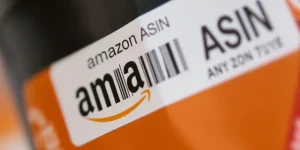
Optimizing Product Listings
When it comes to selling on Amazon, making sure your product listings are top-notch is a game-changer. An optimized product listing can significantly boost your sales. Start with clear, high-quality images and a detailed description that answers potential buyers’ questions. Use bullet points to highlight key features and benefits. Don’t forget to sprinkle in relevant keywords naturally throughout the title and description to improve searchability.
Using ASINs for Inventory Management
Managing inventory efficiently is crucial for any seller. ASINs play a vital role here by helping you track and organize your products. You can quickly identify which items are selling fast and need restocking, and which ones are moving slowly. This data helps in making informed decisions about stock levels, preventing both overstock and stockouts.
Tracking Sales with ASINs
Keeping an eye on sales performance is essential to grow your business. With ASINs, you can easily monitor which products are performing well and which aren’t. This insight allows you to adjust your marketing strategies and focus on products that bring in more revenue. Consider setting up a simple table to track sales metrics like units sold, revenue, and conversion rates for each ASIN:
| ASIN | Units Sold | Revenue | Conversion Rate |
| B01N5IB20Q | 150 | $3000 | 5% |
| B07PGL2ZSL | 200 | $5000 | 7% |
| B00X4WHP5E | 100 | $1500 | 4% |
Tracking your sales with ASINs helps you understand market trends and customer preferences, enabling you to make smarter business decisions.
Wrapping It Up: Your ASIN Journey
So there you have it, folks. Getting your Amazon ASIN label might seem like a bit of a puzzle at first, but once you get the hang of it, it’s pretty straightforward. Whether you’re matching an existing product or introducing something brand new to the Amazon world, the steps are laid out for you. Just remember to keep your product details handy and follow the guidelines. Before you know it, you’ll be navigating the Amazon marketplace like a pro. Happy selling, and may your products find their way into many shopping carts!
Frequently Asked Questions
What is an Amazon ASIN?
An Amazon ASIN, or Amazon Standard Identification Number, is a unique code Amazon assigns to each product in its catalog. It helps identify and track products on the platform.
Why is an ASIN important for sellers?
An ASIN is crucial because it helps sellers list and manage their products on Amazon. It ensures that the product is correctly identified and grouped with similar items, making it easier for customers to find.
How can I create an ASIN for a new product?
To create an ASIN for a new product, you need to list the product on Amazon by providing all necessary details like the product name, brand, and other identifiers. Amazon will then assign a unique ASIN to your product.
Can I use an ASIN for multiple product variations?
No, each product variation, such as different sizes or colors, will have its own unique ASIN to distinguish it from other versions of the same product.
What should I do if I encounter duplicate ASINs?
If you find duplicate ASINs, you should report them to Amazon. Using duplicate ASINs can cause listing problems and affect your selling privileges.
Are there any fees for creating an ASIN?
While creating an ASIN is free, there are fees associated with selling on Amazon. These include subscription fees for different selling plans and other potential costs related to product listings.
What is an Amazon ASIN Label?
An Amazon ASIN Label would be the PDF file Amazon provides you to print your labels.
Can someone print my Amazon ASIN label or other Amazon labels?
Yes, In the UK we would use a trusted printer we found on eBay


