

Shopping on Amazon is super convenient, but sometimes working out how to search for a seller on Amazon can feel like hunting for a needle in a haystack. Whether you’re trying to check out their storefront, ask a question, or just see what else they offer, there are a few ways to track them down. This guide will walk you through different methods to help you locate sellers on Amazon quickly and easily.
Key Takeaways
- Use the Amazon search bar to look up sellers by name for quick results.
- Check the ‘Sold By’ section on product pages to identify the seller.
- Visit Amazon Storefronts by searching for specific storefront names or URLs.
- Explore departments to discover sellers offering products in specific categories.
- Reach out to sellers directly through the ‘Ask a Question’ feature for any inquiries.
- Using FBAmultitool chrome extension
Using the Amazon Search Bar to Find Sellers

Steps to Search for a Seller by Name
If you already know the seller’s name, finding them on Amazon is pretty straightforward. Here’s how you can do it:
- Go to Amazon’s homepage and locate the search bar at the top of the page.
- Type the seller’s name into the search bar, making sure to use accurate spelling.
- Hit the “Search” button. Amazon will display a list of results related to your query.
- Scroll through the results to find the seller or their products. Sellers are often mentioned under the “Sold by” section of product descriptions.
This method works best when the seller has a unique or recognizable name. Keep in mind that some results might include items from other sellers with similar names.
Tips for Accurate Search Results
To improve your chances of finding the right seller, follow these tips:
- Use specific keywords: If the seller’s name is generic, include additional terms like the type of product they sell (e.g., “John’s Electronics”).
- Double-check the spelling: Even a small typo can lead to irrelevant results.
- Filter your search: Use available filters like “Seller” or “Brand” to narrow down the options.
What to Do If the Seller Doesn’t Appear
Sometimes, the seller you’re looking for might not show up in the search results. Here’s what you can try:
- Check the product page: If you know a product they sell, go to its page and look for the “Sold by” section.
- Search by storefront: Many sellers have unique storefront names. If you know it, you can search for their storefront directly.
- Contact Amazon support: If all else fails, Amazon’s customer service might be able to help locate the seller or provide additional details.
Pro Tip: Using the Amazon search bar is one of the fastest ways to locate sellers, but it’s not foolproof. If you’re struggling to find someone, exploring other methods like browsing storefronts or departments could be more effective.
Locating Sellers Through Product Pages
Understanding the ‘Sold By’ Section
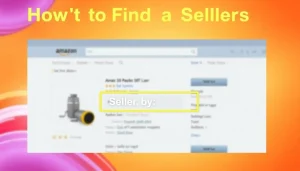
When you’re on a product page on Amazon, look for the “Sold By” section. It’s usually located right below the “Add to Cart” button on the right-hand side. This section indicates the seller responsible for the product. The seller’s name is displayed as a clickable link. Clicking on it will take you directly to their profile page, where you can learn more about their store and policies.
How to Access Seller Profiles
To check out a seller’s profile, follow these steps:
- Go to the product page of the item you’re interested in.
- Scroll to the “Sold By” section, typically under the price or “Add to Cart” button.
- Click on the seller’s name (it’s usually a blue hyperlink).
- You’ll be directed to their profile, where you can view their ratings, reviews, and other products they sell.
Using Product Reviews to Identify Sellers
Sometimes, product reviews can give you extra insights about a seller. Here’s how they help:
- Customers often mention their satisfaction (or dissatisfaction) with the seller.
- You might find comments about shipping times or product quality.
- Reviews can sometimes clarify whether the seller is reliable or not.
If you’re unsure about a seller, taking a few minutes to explore their reviews and ratings can save you from potential issues down the road.
Exploring Amazon Storefronts for Specific Sellers
What Are Amazon Storefronts?
Amazon storefronts are personalized pages created by sellers to showcase their products. Think of them as mini online stores within Amazon. They’re particularly useful if you’re looking for a curated selection of items from a specific seller. These storefronts often represent the seller’s unique brand identity, making it easy to explore their inventory in one place.
How to Search Using Storefront Names
If you know the name of a seller’s storefront, finding it is pretty straightforward. Here’s how you can do it:
- Go to Amazon’s homepage.
- In the URL bar, type: https://www.amazon.com/shops/ followed by the seller’s storefront name. For example, if the storefront is called GadgetWorld, the URL would look like this: https://www.amazon.com/shops/GadgetWorld.
- Hit enter, and you’ll be directed to their storefront page.
This method works best if you already know the exact storefront name. Otherwise, you might need to try variations or search manually.
Navigating Storefront URLs
Sometimes, sellers include their storefront links in product descriptions or promotional materials. If you stumble upon a storefront URL, it’s worth checking out. Once you’re on the page, you’ll typically find:
- A list of all products the seller offers.
- Customer reviews and ratings for their items.
- Information about the seller’s shipping and return policies.
Browsing a seller’s storefront can save you time by presenting their full inventory in one place, rather than searching for individual products across Amazon.
By using these tips, you can efficiently locate and explore Amazon storefronts to find exactly what you’re looking for.
Browsing Departments to Discover Sellers
How to Use ‘Shop by Department’
Browsing by department is one of the easiest ways to find sellers on Amazon. Start by heading to the Amazon homepage. On the left sidebar, you’ll see the ‘Shop by Department’ section. This feature organizes products into categories like Electronics, Home, or Grocery, making it simple to explore items by type.
Here’s how to get started:
- Click on the department that matches what you’re looking for—say, “Books” or “Clothing.”
- Once inside the department, you can further refine your search by choosing subcategories, like “Men’s Jackets” or “Fiction.”
- After selecting a subcategory, browse the products listed. Sellers associated with these items will often appear in the product details or under the “Sold By” section.
Finding Sellers in Specific Categories
If you’re looking for specific sellers within a category, narrowing down your search can help. For example:
- Use filters on the left sidebar to sort by “Featured Brands” or seller names.
- Check the “Sold By” label for each product to identify the seller.
- Some categories, like tech or handmade goods, may have seller directories or highlighted stores.
This method is super helpful when you’re loyal to a particular seller or brand but don’t know the exact product you want yet.
Advantages of Browsing by Department
Browsing by department has its perks:
- Organized Search: Categories and subcategories make the process straightforward.
- Discover New Sellers: You might come across sellers you didn’t know about while exploring.
- Targeted Results: Filters like price range, ratings, and brands allow you to focus on what matters most.
Browsing departments isn’t just about finding products—it’s about uncovering trusted sellers, especially in popular areas like home and health. This approach gives you a clearer picture of who’s behind the items you’re buying.
Contacting Sellers on Amazon
Steps to Reach Out to a Seller
- Find the Seller’s Profile: Start by navigating to the product page of the item you’re interested in. Scroll down to the “Sold by” section, and click on the seller’s name. This will take you to their profile page.
- Use the ‘Ask a Question’ Feature: Once you’re on the seller’s profile, look for the “Ask a Question” button. Clicking this will open a message window where you can type your query.
- Send Your Message: Be clear and polite when composing your message. Include any relevant details, such as order numbers or specific concerns, to help the seller address your issue quickly.
Using the ‘Ask a Question’ Feature
The “Ask a Question” feature is a simple and effective way to communicate directly with a seller. Whether you have a question about a product or need help with an order, this tool allows you to get in touch without leaving the Amazon platform. Keep your message concise to ensure a faster response.
When to Contact Amazon Support Instead
Sometimes, reaching out to the seller might not resolve your issue. In cases like these, contacting Amazon Support is your best option. Examples include:
- If the seller is unresponsive.
- If the issue involves a violation of Amazon’s policies.
- For disputes regarding refunds or returns that the seller cannot resolve.
Reaching out to sellers can often resolve most issues quickly, but knowing when to escalate to Amazon Support ensures you’re not stuck waiting for a solution.
Evaluating Seller Profiles and Feedback
Why Seller Ratings Matter
When it comes to how to search for a seller on Amazon, the star rating is often the first thing people notice. Amazon uses a 5-star system, with 5 stars meaning excellent service and 1 star signaling major issues. But here’s the thing: don’t just stop at the stars. Take a few minutes to actually read the reviews. Ratings without context can be misleading. For example, a seller might have a 4.5-star rating but recent reviews could highlight issues like delayed shipping or poor packaging. Digging deeper into the reviews helps you figure out if the seller is reliable or if there are consistent problems.
How to Read Customer Reviews
Customer reviews are like little snapshots of what you might experience. Look for patterns in the feedback. Are multiple people complaining about the same issue? Or are the reviews overwhelmingly positive? Here are some things to keep an eye on:
- Delivery: Did items arrive on time?
- Condition: Were the products as described?
- Service: How responsive was the seller to questions or problems?
Also, pay attention to the tone of the reviews. Are customers praising the seller for going above and beyond? Or are they frustrated? These details can help you make a smarter choice.
Honest and detailed reviews are your best friend when deciding whether to trust a seller. They give you a peek into what you can expect.
Checking Return and Shipping Policies
Every seller has their own rules for returns and shipping, and it’s important to know them before you buy. Some sellers make returns super easy, while others might have stricter policies. Here’s what to check:
- Return Window: How many days do you have to return an item?
- Refunds: Will you get a full refund or just store credit?
- Shipping Costs: Who pays for return shipping—you or the seller?
Being aware of these details can save you a lot of hassle later. For example, if a seller requires you to pay for return shipping, that could make a “great deal” not so great after all.
If you’re unsure about a seller’s policies, it’s a good idea to ask them directly. And if something seems off, remember that Amazon has feedback guidelines to ensure fair evaluations. Use these to your advantage when leaving or reading reviews.
Wrapping It Up
Finding a seller on Amazon might seem tricky at first, but once you know the steps, it’s pretty straightforward. Whether you’re using the search bar, checking the product page, or exploring storefronts, there’s always a way to track down the seller you’re looking for. And hey, if you ever run into issues with your order, knowing how to contact the seller directly can save you a lot of hassle. So next time you’re shopping on Amazon, take a moment to check out who you’re buying from—it’s worth it!
Frequently Asked Questions
How To Search For a Seller on Amazon search bar?
To search for a seller, type their name into the Amazon search bar at the top of the page. Press enter, and browse through the results to locate the seller you’re looking for.
What if I can’t find the seller I’m searching for?
If the seller doesn’t show up in the search results, double-check the spelling of their name. You can also try looking for their products and accessing their profile from the product page.
How can I find a seller through a product page?
Go to the product page of an item sold by the seller. Look for the ‘Sold by’ section under the product title or on the right-hand side. Click on the seller’s name to view their profile.
What is an Amazon Storefront, and how can I find one?
An Amazon Storefront is a custom page created by a seller to showcase their products. You can search for a storefront by typing its name in the search bar or by visiting its unique URL, which usually ends with ‘/shops/storefrontname’.
Can I contact a seller directly on Amazon?
Yes, you can contact a seller by visiting their profile and using the ‘Ask a Question’ feature. This is helpful for inquiries about products, returns, or other concerns.
Why are seller ratings and reviews important?
Seller ratings and reviews help you understand the quality of the seller’s products and services. They provide insights from other customers about their experiences with the seller.


