

If you’ve been using CamelCamelCamel for tracking Amazon prices, you might be wondering if there are better options out there. While CamelCamelCamel is a solid choice, there are several alternatives that might suit your needs even better. In this article, we’ll take a look at some of the best CamelCamelCamel alternative, highlighting their features and what makes them stand out. Whether you’re an online seller or just looking for the best deals, these tools can help you make the most of your Amazon shopping experience.
Key Takeaways
- Keepa offers detailed price history graphs and real-time alerts, making it a top choice for serious sellers.
- Tactical Arbitrage is great for those focused on online arbitrage, with powerful product research and automated comparisons.
- FBAmultitool provides built-in Keepa graphs for easy price tracking across multiple Amazon marketplaces.
- Honey Price Tracker simplifies savings with automatic coupon applications and handy browser features.
- Helium10 goes beyond just price tracking, offering tools for market analysis and keyword research.
Exploring Keepa As A CamelCamelCamel Alternative

Keepa is often mentioned as a strong contender to CamelCamelCamel, and for good reason. It’s got a lot going for it, especially if you’re serious about tracking Amazon prices. I’ve used both, and while CamelCamelCamel is simple, Keepa just offers more, even if it takes a little longer to learn.
Comprehensive Price Tracking Features
Keepa really shines when it comes to the depth of its price tracking. It doesn’t just show you the current price; it gives you detailed historical data. You can see how the price has changed over days, weeks, months, or even years. This is super useful for spotting trends and figuring out if a deal is actually a good deal. Plus, it tracks more than just the Amazon price; it also shows third-party seller prices, Lightning Deals, and even Warehouse Deals. This level of detail can really help you make smart buying decisions.
User-Friendly Interface
Okay, so maybe “user-friendly” is a bit of a stretch at first. Keepa’s interface can feel a little overwhelming when you first start using it. There are a lot of charts, graphs, and options. But once you get the hang of it, it’s actually pretty powerful. You can customize the charts to show exactly the data you want to see, and you can set up alerts to notify you when a price drops below a certain point. It takes some getting used to, but it’s worth the effort. I will say, CamelCamelCamel is easier to pick up immediately.
Integration with Other Tools
Keepa plays well with other tools, which is a big plus. It has a browser extension that lets you view price history charts directly on Amazon product pages. This means you don’t have to leave Amazon to see if a product’s price is trending up or down. Plus, Keepa integrates with some other Amazon seller tools, making it easier to manage your inventory and pricing. It’s all about making your life easier, right?
Keepa is a solid choice if you need in-depth price tracking and don’t mind a bit of a learning curve. It’s got more features than CamelCamelCamel, and it integrates well with other tools. If you’re serious about Amazon selling, it’s definitely worth checking out.
Tactical Arbitrage: A Powerful Option

Tactical Arbitrage is another tool you might want to consider if you’re serious about online arbitrage. It’s designed to help you find profitable products to resell on Amazon by scanning a bunch of different retail websites. It’s not just about price tracking; it’s about finding deals.
Advanced Product Research Capabilities
Tactical Arbitrage really shines when it comes to product research. It lets you scan thousands of websites to find products that are selling for less than they are on Amazon. This is a huge time-saver compared to manually searching for deals. You can also filter your searches based on different criteria, like price, sales rank, and category, to narrow down your options and find the most promising products.
Automated Price Comparison
One of the best things about Tactical Arbitrage is that it automates the price comparison process. Instead of having to check prices on multiple websites yourself, the tool does it for you. This not only saves you time but also helps you identify deals that you might have missed otherwise. It’s like having a virtual assistant that’s constantly on the lookout for profitable products.
Ideal for Online Arbitrage
Tactical Arbitrage is especially useful if you’re focused on online arbitrage. It’s designed to help you find products that you can buy online and resell on Amazon for a profit.
It’s important to remember that while Tactical Arbitrage can help you find profitable products, it’s still up to you to do your own research and make sure that the products you’re buying are actually going to sell. Don’t just rely on the tool to make all of your decisions for you.
Here are some things to keep in mind when using Tactical Arbitrage:
- Always double-check the prices on the websites that the tool finds.
- Make sure that the products you’re buying are in good condition.
- Factor in the cost of shipping and handling when calculating your profits.
FBAmultitool: A Versatile Choice

FBAmultitool offers a range of features designed to assist Amazon sellers in various aspects of their business. It aims to provide a comprehensive solution, making it a versatile choice for those looking for more than just price tracking.
Built-In Keepa Graphs
One of the standout features of FBAmultitool is its integration of Keepa graphs. This allows users to directly access historical pricing data within the tool’s interface, eliminating the need to switch between different platforms. This integration streamlines the product research process, providing a convenient way to analyze price trends and make informed purchasing decisions.
Multiple Amazon Marketplaces
FBAmultitool supports multiple Amazon marketplaces, enabling sellers to expand their reach and manage their business across different regions. This is particularly useful for sellers who operate in multiple countries or plan to expand internationally. The ability to track and analyze data from various marketplaces in one place simplifies the management of a global Amazon business. Consider using Amazon FBA tools to help manage your business.
Cost-Effective Solution
While some tools offer a wide array of features at a premium price, FBAmultitool aims to provide a cost-effective solution for Amazon sellers. It offers a balance between functionality and affordability, making it an attractive option for those who are budget-conscious. It’s a good way to get sourcing lists to help you find profitable products.
FBAmultitool is a solid option for sellers who want Keepa functionality built-in, and need to operate across multiple Amazon marketplaces without breaking the bank. It might not have all the bells and whistles of some of the more expensive tools, but it gets the job done for many sellers.
Honey Price Tracker: Simplifying Savings

Honey is a browser extension that’s pretty well-known, and for good reason. It aims to make saving money super easy, and it does a decent job. It’s not just for Amazon; it works across tons of online stores. Let’s take a look at what makes it tick.
Automatic Coupon Application
One of Honey’s biggest draws is its ability to automatically find and apply coupon codes when you’re checking out online. This can save you a surprising amount of money without you having to lift a finger. It scans the web for available coupons and tries them all until it finds the ones that work. It’s like having a little couponing assistant built right into your browser. It’s worth noting that there have been some concerns about Honey’s practices, like the Honey browser extension sometimes not giving users the best coupons, but overall, it’s a convenient feature.
Price History Tracking
Beyond coupons, Honey also offers price tracking. You can add items to a “Droplist,” and Honey will monitor the prices and notify you when they drop. This is useful if you’re not in a rush to buy something and want to wait for a better deal. It also lets you see the price history of an item, so you can get a sense of whether a sale is actually a good deal or just a temporary price cut. CamelCamelCamel also shows you how the price of the item has gone up or down over time.
User-Friendly Browser Extension
Honey is designed to be easy to use. The browser extension is simple to install and integrates seamlessly with your online shopping experience. You don’t need to be a tech expert to use it. The interface is clean and intuitive, making it easy to add items to your Droplist and view price histories. It’s a pretty straightforward tool, which is part of its appeal. Honey has over 19 million users with a rating of 4.8/5 in the Chrome Web Store. Here’s a quick rundown of the pros and cons:
- Pros:
- Easy to use interface
- Combines price tracking and coupon finding
- Free to use
- Works across many online retailers
- Rewards can be redeemed for PayPal Cash or gift cards
- Cons:
- Some users have reported issues with tracking purchases
- Concerns about affiliate link practices
Honey can be a useful tool for saving money while shopping online. Its automatic coupon application and price tracking features can help you find deals and make informed purchasing decisions. However, it’s important to be aware of the potential drawbacks and use it responsibly.
Helium10: More Than Just Price Tracking
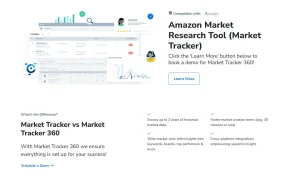
Helium10 is a suite of tools for Amazon sellers, and while it does include price tracking, it’s really just the tip of the iceberg. It’s more of an all-in-one solution for managing and growing your Amazon business.
Comprehensive Market Analysis Tools
Helium10 provides a range of tools for market analysis, going way beyond simple price tracking. You can research product demand, identify profitable niches, and analyze competitor strategies. This helps you make informed decisions about what to sell and how to price your products.
Keyword Research Features
Finding the right keywords is essential for getting your products seen on Amazon. Helium10 offers robust keyword research tools to help you identify high-volume, relevant keywords for your listings. This can significantly improve your product visibility and drive more sales.
Sales Analytics
Tracking your sales performance is crucial for understanding what’s working and what’s not. Helium10 provides detailed sales analytics, allowing you to monitor your sales trends, identify areas for improvement, and optimize your listings for better performance.
Helium10 is a more expensive option than some of the other price trackers, but it offers a much wider range of features. If you’re serious about building a successful Amazon business, it’s worth considering the investment.
Comparing Features of CamelCamelCamel Alternatives
Price Tracking Accuracy
When choosing a camelcamelcamel alternative, accuracy in price tracking is super important. You want to make sure the tool is giving you the real deal, not some outdated or incorrect info. Different tools use different methods to gather data, and some are just better at it than others. Think about how often the tool updates its data and whether it covers all the Amazon marketplaces you’re interested in. For example, Keepa offers detailed price history graphs, which can be very helpful.
User Experience and Interface
Let’s be real, nobody wants to use a tool that’s clunky and confusing. The user experience can make or break a camelcamelcamel alternative. Is it easy to set up price alerts? Can you quickly see historical price data? A good interface should be intuitive and not require a ton of clicking around to find what you need. Some tools have browser extensions that make things even easier, letting you see price history right on the Amazon product page.
Additional Features and Tools
Beyond just tracking prices, many camelcamelcamel alternatives come with extra features that can be a big help. This could include things like sales rank tracking, which tells you how well a product is selling, or the ability to track prices across multiple Amazon marketplaces. Some tools even have features for finding profitable products or analyzing market trends. These extra features can really give you an edge when it comes to making smart buying and selling decisions.
It’s worth taking the time to compare these features and see which tool best fits your specific needs. What works for one seller might not be the best choice for another, so do your research and find the tool that will help you reach your goals.
Choosing The Right Tool For Your Needs
Alright, so you’ve looked at a bunch of CamelCamelCamel alternatives. Now, how do you actually pick one? It’s not about finding the “best” tool overall, but the best fit for your specific needs. Let’s break it down.
Assessing Your Selling Strategy
First, think about what you’re actually selling and how you’re selling it. Are you doing retail arbitrage, online arbitrage, or private label? Each strategy has different needs. For example, if you’re doing retail arbitrage, a mobile app with quick scanning capabilities (like Profit Bandit) might be super useful. If you’re focused on online arbitrage, Tactical Arbitrage’s ability to scan tons of websites could be a game-changer. Understanding your core selling strategy is the first step.
Budget Considerations
Let’s be real, budget matters. Some of these tools are free (or have free tiers), while others come with a monthly subscription. Don’t just jump for the most expensive option thinking it’s automatically the best. Start with the free options and see if they meet your basic needs. You can always upgrade later if you need more features. FBAmultitool is a cost-effective solution, so it might be a good starting point.
Trial and Error with Different Tools
Don’t be afraid to experiment! Most of these tools offer free trials or limited free versions. Sign up for a few, play around with them, and see which one clicks with you. What works for one seller might not work for another. It’s all about finding the tool that makes your life easier and helps you make more money.
It’s important to remember that no single tool is a magic bullet. The best approach is often to combine different tools and strategies to create a system that works for you. Don’t be afraid to adjust your approach as you learn and grow.
Wrapping It Up
In the end, while CamelCamelCamel has been a solid choice for tracking Amazon prices, it’s clear there are other tools out there that might fit your needs better. Keepa, Tactical Arbitrage, and Honey are just a few examples that offer unique features that could help you make smarter buying decisions. Each of these alternatives brings something different to the table, whether it’s detailed price history, alerts, or market insights. So, if you’re serious about selling on Amazon, it might be worth checking out these options. They could give you the edge you need to stay competitive and maximize your profits.
Frequently Asked Questions
What is Keepa and how does it compare to CamelCamelCamel?
Keepa is a popular tool for tracking prices on Amazon. It offers detailed price history graphs and alerts for price drops, making it a strong alternative to CamelCamelCamel.
Is Tactical Arbitrage worth the investment?
Yes, Tactical Arbitrage is great for online sellers. It provides advanced product research tools and automates price comparisons, which can help you find profitable items.
What features does FBAmultitool offer?
FBAmultitool includes built-in Keepa graphs at no extra cost. It works across multiple Amazon marketplaces, making it a versatile choice for sellers.
How does Honey Price Tracker help users save money?
Honey Price Tracker automatically finds and applies coupons while also tracking price history, making it easy for users to get the best deals.
Can Helium10 be used for more than just price tracking?
Absolutely! Helium10 offers tools for market analysis, keyword research, and sales analytics, making it a comprehensive solution for Amazon sellers.
What should I consider when choosing a price tracking tool?
Think about your selling strategy, budget, and whether you want to try different tools to find the best fit for your needs.


