

If you’ve ever thought about diving into e-commerce, starting an Amazon FBA business is a popular way to go. With Fulfillment by Amazon (FBA), you can sell products without worrying about shipping and storage. Amazon takes care of that for you, letting you focus on choosing the right products and marketing them. In this guide, we’ll walk you through the steps to get your Amazon FBA business up and running. It’s not as complicated as it sounds, and with the right approach, you can set yourself up for success.
Key Takeaways
- Understand the basics of the Amazon FBA model before starting.
- Choose the right selling plan for your business needs.
- Conduct thorough market research to find profitable products.
- Follow Amazon’s guidelines for packaging and labeling your products.
- Use effective marketing strategies to boost your product visibility.
- Every sellers must have software FBAmultitool
Understanding The Amazon FBA Business Model
What Is Amazon FBA?
Amazon FBA, or Fulfillment by Amazon, is a service where you, the seller, send your products to Amazon’s fulfillment centers, and they handle the storage, packaging, and shipping. Think of it as outsourcing your logistics to one of the biggest players in the game. It’s a popular choice for those looking into how to start an amazon fba business because it removes a lot of the hassle associated with order fulfillment. You focus on sourcing and marketing, while Amazon takes care of the rest.
How Does FBA Work?
Here’s a simplified breakdown of how FBA works:
- You send your products to Amazon’s fulfillment centers.
- Customers purchase your products on Amazon.
- Amazon picks, packs, and ships the orders.
- Amazon handles customer service and returns.
FBA allows sellers to focus on product development and marketing, rather than the day-to-day grind of shipping and handling. This can free up time and resources to grow your business.
Benefits Of Using FBA
There are several benefits to using FBA. For starters, your products become Prime eligible, which can significantly boost sales. Amazon also handles customer service, which can save you a lot of time and effort. Plus, you can expand your reach to customers all over the world. Here’s a quick look at some of the key advantages:
- Increased sales potential due to Prime eligibility.
- Reduced workload by outsourcing fulfillment and customer service.
- Access to Amazon’s vast fulfillment network.
- Potential for lower shipping costs due to Amazon’s negotiated rates.
Setting Up Your Amazon Seller Account

Time to get official! Setting up your Amazon Seller Account is a pretty straightforward process, but it’s important to get it right from the start. It’s like setting up shop – you want everything in its place before the customers start rolling in.
Choosing The Right Selling Plan
Amazon gives you a choice: Individual or Professional. The Individual plan is for those who plan to sell fewer than 40 items a month. You pay $0.99 per item sold, plus other selling fees. The Professional plan costs $39.99 per month, regardless of how many items you sell, plus other selling fees. If you plan to sell more than 40 items, the Professional plan is the way to go.
Here’s a quick breakdown:
- Individual: Best for low-volume sellers, pay per item.
- Professional: Best for high-volume sellers, flat monthly fee.
- Consider your projected sales volume when deciding.
Choosing the right plan can save you money in the long run. Think about your sales goals and do the math to see which plan makes the most sense for your business.
Registering For FBA
Once you’ve picked your selling plan, it’s time to register for FBA. You’ll need to provide some info, including your business name, address, and tax information. Amazon needs to verify your identity, so be prepared to provide documentation. It’s a bit like opening a bank account – they need to know who you are.
Here’s what you’ll generally need:
- Business name and address
- Contact information
- Tax information (SSN or EIN)
Navigating Seller Central
Seller Central is your command center. It’s where you’ll manage your listings, track your inventory, and handle customer service. It can seem overwhelming at first, but don’t worry, you’ll get the hang of it. Take some time to explore the different sections and get familiar with the layout. There are tons of resources and tutorials available to help you out.
Key areas to explore:
- Inventory management
- Advertising dashboard
- Performance reports
Finding Profitable Products To Sell
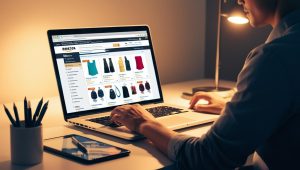
Alright, so you’re ready to jump into the world of Amazon FBA, huh? Awesome! But before you start dreaming of yachts and early retirement, let’s talk about something super important: finding products that will actually make you money. This isn’t about selling what you like; it’s about selling what people want to buy. Let’s get into it.
Conducting Market Research
Okay, so first things first: market research. This might sound boring, but trust me, it’s way better than ending up with a garage full of unsold fidget spinners. Start by brainstorming. What are you interested in? What problems do people have that a product could solve? Don’t limit yourself at this stage; just get those ideas flowing. Think about niche markets too. “Fashion” is broad, but “sustainable baby clothes”? Now we’re talking. You can also use Amazon’s product opportunity explorer to get ideas for new products.
Here’s a few ways to get started:
- Amazon Best Sellers: Check out Amazon’s best-seller lists in different categories. This gives you a quick snapshot of what’s currently popular.
- Keyword Research Tools: Use tools like Google Keyword Planner or Ahrefs to see what people are searching for online. This can help you identify trending products or underserved niches.
- Competitor Analysis: See what your potential competitors are selling and how well they’re doing. What are their strengths and weaknesses? Can you offer something better or different?
Don’t be afraid to get creative. Sometimes the best product ideas come from unexpected places. Keep an open mind and be willing to explore different possibilities.
Evaluating Product Demand
So, you’ve got a list of potential products. Great! Now it’s time to figure out if people actually want to buy them. This is where you need to put on your detective hat and do some digging. Look at sales data, customer reviews, and search trends to get a sense of demand. If a product has tons of competition and low sales volume, it might be best to steer clear. On the other hand, if you find a product with high demand and limited competition, you might be onto something.
Here’s what to look for:
- Sales Volume: How many units of the product are being sold each month? You can use tools like Jungle Scout or Helium 10 to estimate sales volume.
- Customer Reviews: What are customers saying about the product? Are they generally happy with it, or are there recurring complaints? This can give you insights into potential improvements or unmet needs.
- Search Trends: Is the product’s popularity increasing, decreasing, or staying steady? Google Trends can help you track search volume over time.
Sourcing Suppliers
Alright, you’ve found a product with potential. Now you need to find someone to make it! Sourcing suppliers can be tricky, but it’s a crucial step in the process. You’ll need to balance cost, quality, and reliability to find the right partner. Consider sourcing your product from outside the U.S. to save money. You can also flip clearance items from retail stores.
Here’s a few options to consider:
- Alibaba: This is a popular platform for finding suppliers in China and other countries. Be sure to do your research and vet potential suppliers carefully.
- Wholesale Directories: Websites like SaleHoo and Worldwide Brands list pre-screened wholesalers and suppliers.
- Trade Shows: Attending trade shows in your industry can be a great way to meet suppliers in person and see their products firsthand.
Remember to always order samples before committing to a large order. This will allow you to assess the quality of the product and ensure that it meets your standards. Don’t be afraid to negotiate prices and terms with suppliers. The more you can save on sourcing, the higher your profit margins will be.
Preparing Your Products For Fulfillment

Okay, so you’ve found some awesome products and you’re ready to use FBA. Great! But before you just box everything up and ship it off, there are some important steps to follow. Getting this right is super important to avoid inventory issues and make sure your products get to customers quickly and safely.
Packaging Requirements
Amazon has pretty specific rules about how your products need to be packaged. This isn’t just about making things look nice; it’s about protecting the items during shipping and making sure they arrive in good condition.
- Use sturdy boxes: Don’t skimp on the quality of your boxes. They need to be able to withstand the journey to the fulfillment center.
- Proper cushioning: Bubble wrap, packing peanuts, or air pillows are your friends. Make sure fragile items are well-protected.
- Seal it tight: Use strong packing tape to seal all edges and seams of the box. You don’t want anything popping open during transit.
Ignoring these packaging guidelines can lead to your shipments being rejected, which means delays and extra costs. It’s worth taking the time to get it right.
Labeling Guidelines
Labeling is another area where accuracy is key. Each product needs to have the correct barcode label so Amazon can properly identify and track it.
- Print clear labels: Make sure your labels are printed clearly and are easy to read. Faded or blurry labels can cause problems.
- Placement matters: Place the label on a flat surface of the product, away from edges or seams. Don’t cover any other important information.
- Use the right labels: Amazon uses specific types of labels, so make sure you’re using the correct ones. You can print these from your Seller Central account.
Shipping To Amazon Fulfillment Centers
Getting your products to the fulfillment center is the final step in this process. You’ll need to create a shipping plan in Seller Central and follow Amazon’s instructions carefully.
- Create a shipping plan: This tells Amazon what you’re sending, how many units, and where it’s coming from.
- Choose a shipping method: You can use Amazon’s partnered carriers for discounted rates, or you can use your own carrier.
- Follow routing guidelines: Amazon will tell you which fulfillment center to ship to. Don’t just send it wherever you want! Fulfillment by Amazon can be easy if you follow the rules.
Marketing Your Amazon FBA Products

Alright, you’ve got your product ready to go. Now, it’s time to get it in front of customers. Just listing it on Amazon isn’t enough; you need a solid marketing plan to really see those sales climb. Think of it as shouting from the rooftops, but in a digital way.
Creating Compelling Listings
Your product listing is your storefront, so make it shine. Use high-quality images that show off your product from every angle. Write clear, concise descriptions that highlight the benefits, not just the features. Think about what customers are searching for and use those keywords in your title and description. A well-crafted listing can make all the difference.
Utilizing Amazon Advertising
Amazon Advertising can be a game-changer. It lets you put your product in front of people who are actively searching for things like it. You can use Sponsored Products ads to boost visibility in search results or Sponsored Brands ads to showcase your brand and multiple products. It’s all about getting seen by the right people at the right time. Keep a close eye on your campaigns and adjust your bids and keywords based on performance.
Leveraging Social Media
Don’t underestimate the power of social media. Even though you’re selling on Amazon, social media can drive traffic to your listings and build a brand following. Share engaging content related to your product, run contests and giveaways, and interact with your audience. It’s a great way to create a community around your brand and get people excited about your products.
Social media isn’t just about selling; it’s about building relationships. Show your customers that you care about their needs and interests, and they’ll be more likely to support your business.
Here’s a simple breakdown of how social media can help:
- Drive traffic to your Amazon listing.
- Build brand awareness and recognition.
- Engage with customers and gather feedback.
- Promote new products and special offers.
Managing Your FBA Business Operations
Once you’ve got your FBA business up and running, the real work begins: keeping it running smoothly! It’s not just about getting sales; it’s about managing everything efficiently so you can actually make a profit and avoid headaches. Let’s look at some key areas.
Tracking Inventory Levels
Inventory managementis crucial for FBA sellers. You don’t want to run out of stock and miss sales, but you also don’t want to overstock and pay extra storage fees. Here’s what to keep in mind:
- Regular Audits: Check your inventory levels frequently. Amazon Seller Central provides tools to help you monitor your stock in real-time.
- Set Reorder Points: Determine the minimum stock level for each product. When your inventory drops to this point, it’s time to reorder.
- Forecast Demand: Use sales data and trends to predict future demand. Consider seasonal variations and marketing promotions.
Effective inventory tracking prevents stockouts and overstocking, directly impacting profitability and customer satisfaction. It’s a balancing act, but with the right tools and strategies, you can master it.
Handling Customer Service
Customer service is a big part of any business, and FBA is no exception. While Amazon handles the shipping and some returns, you’re still responsible for addressing customer inquiries and resolving issues. Here’s how to handle it:
- Respond Promptly: Answer customer questions quickly and professionally. Aim to respond within 24 hours.
- Be Helpful: Provide clear and accurate information. Go the extra mile to resolve customer issues.
- Use Amazon’s Messaging System: Communicate with customers through Amazon Seller Central to keep a record of all interactions.
Analyzing Sales Data
Data is your friend! Analyzing your sales data can give you valuable insights into what’s working and what’s not. Here’s what to look for:
- Sales Trends: Identify your best-selling products and peak sales periods.
- Conversion Rates: Track how many people view your listings versus how many actually buy your products.
- Profit Margins: Calculate the profit margin for each product to see which ones are most profitable.
| Metric | Description | How to Use It |
| Sales Volume | The total number of units sold over a specific period. | Identify popular products and track overall business growth. |
| Conversion Rate | The percentage of listing views that result in a sale. | Optimize listings to improve conversion rates. |
| Profit Margin | The percentage of revenue remaining after deducting all costs. | Focus on products with higher profit margins. |
Scaling Your Amazon FBA Business

Okay, so you’ve got your Amazon FBA business up and running. Sales are coming in, and things are looking good. But how do you take it to the next level? How do you go from a decent side hustle to a serious, sustainable business? That’s where scaling comes in. It’s not just about doing more of the same; it’s about making smart moves to grow your business efficiently and effectively.
Expanding Your Product Line
One of the most straightforward ways to scale is by expanding your product line. Don’t just stick with one or two items. Think about what else your customers might want or need. Look at complementary products or variations of what you already sell. For example, if you’re selling phone cases, maybe you could add screen protectors, chargers, or even phone stands.
- Research: Use Amazon’s tools and external market research to identify potential new products.
- Test: Start small with new products to gauge customer interest before investing heavily.
- Diversify: Don’t put all your eggs in one basket. A diverse product line can help you weather market fluctuations.
Exploring International Markets
Selling internationally can significantly increase your reach and sales. Amazon has marketplaces all over the world, and expanding into new countries can open up huge opportunities. However, it’s not as simple as just listing your products on another Amazon site. You need to consider things like language barriers, shipping costs, import duties, and local regulations.
Expanding internationally can be a game-changer, but it requires careful planning and research. Don’t rush into it without understanding the local market and regulations.
Automating Business Processes
As your business grows, you’ll find that you’re spending more and more time on repetitive tasks. This is where automation comes in. There are many tools and services available that can help you automate things like inventory management, order processing, customer service, and even marketing. Automating these processes can free up your time to focus on more strategic activities, like product development and business development.Automation isn’t just about saving time; it’s about improving efficiency and reducing errors.
Here’s a simple example of how automation can help:
| Task | Manual Time (per week) | Automated Time (per week) | Time Saved (per week) |
| Inventory Management | 5 hours | 1 hour | 4 hours |
| Customer Service | 10 hours | 3 hours | 7 hours |
| Order Processing | 3 hours | 0.5 hours | 2.5 hours |
| Total Time Saved | 13.5 hours |
By automating these tasks, you could save over 13 hours per week, which you can then reinvest into growing your business.
Wrapping It Up
Starting an Amazon FBA business can feel like a big task, but it’s totally doable. You’ve got to pick a product, find a supplier, and get everything ready for Amazon to handle the shipping and customer service. Sure, there are challenges along the way, but with some planning and effort, you can make it work. Remember, it’s all about learning as you go. Don’t be afraid to tweak your approach based on what you find out. As you grow, consider bringing in help or even branching out beyond Amazon. The sky’s the limit if you stay focused and keep pushing forward!
Frequently Asked Questions
What is Amazon FBA?
Amazon FBA stands for Fulfilled by Amazon. It’s a service where you send your products to Amazon’s warehouses, and they handle storage, shipping, and customer service for you.
How do I start an Amazon FBA business?
To start, you need to create an Amazon seller account, choose a product to sell, find a supplier, and send your products to Amazon’s fulfillment centers.
Is it profitable to sell on Amazon FBA?
Yes, many sellers make good money with Amazon FBA. It offers benefits like quick shipping, which can help you attract more customers.
What are the costs involved with Amazon FBA?
There are fees for using FBA, including storage fees for your products and selling fees when you make a sale. It’s important to calculate these costs to ensure you remain profitable.
How do I find products to sell on Amazon?
You can find products by researching market trends, checking what’s popular on Amazon, and looking for items that have good demand but low competition.
Can I sell internationally with Amazon FBA?
Yes, Amazon FBA allows you to sell your products in other countries. You just need to set up your account for international selling and follow their guidelines.


