

Amazon prices fluctuate constantly, making it difficult to know if you’re getting a good deal. Tracking Amazon price history can help you save money and avoid deceptive “deals” that aren’t really discounts at all. Let’s explore the best tools and methods to check Amazon price history before making your purchase.
Here’s what we’ll cover:
- Using CamelCamelCamel to track Amazon price changes
- Installing the Camelizer browser extension for quick price checks
- Exploring Keepa’s detailed price tracking graphs and alerts
- Using FBAmultitool’s embedded price history features
- Setting up price drop alerts to catch the best deals
- Understanding how to interpret price history data
Using CamelCamelCamel to Track Amazon Price History

CamelCamelCamel is a free Amazon price tracker that lets you view the entire price history of any product on Amazon. To use it, simply copy and paste the Amazon listing URL into CamelCamelCamel’s search bar and hit Enter.
When you bring up a price history page on CamelCamelCamel, you’ll see a chart tracking the price across time. The interface allows you to adjust the chart settings to show different time periods, add or compare third-party prices, or remove extreme price changes to get a clearer picture of normal price movements.
One advantage of using CamelCamelCamel is that it helps you identify patterns in pricing. For example, you might notice that a product regularly goes on sale during certain times of year, like Black Friday, Cyber Monday, or Prime Day.
CamelCamelCamel cannot include shipping and handling costs in its price tracking, but it will indicate if a product qualifies for Prime shipping. The site also designates “Good Deal” and “Best Price” indicators for each listing based on its price history, helping you quickly determine if the current price is favorable.
The Camelizer Browser Extension
For quicker access to Amazon price history data, you can install the Camelizer browser extension. This add-on is available for Chrome, Firefox, Edge, Brave, Safari, and Opera browsers.
With the Camelizer installed, you can simply click its button in your browser toolbar while viewing any product on Amazon to instantly see the price history. You can also set up price drop alerts directly through the extension window, saving you time since you don’t need to switch between different websites.
Similar to how our AMZBase product research tool helps Amazon sellers make data-driven decisions, price history tools like Camelizer provide consumers with valuable insights before purchasing.
Keepa: Advanced Amazon Price History Tracking
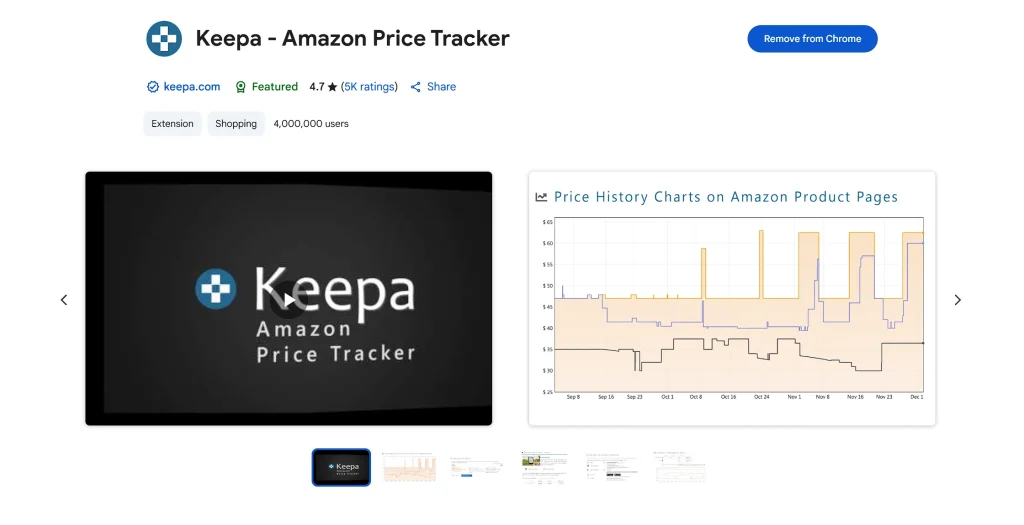
Keepa is another powerful tool for tracking Amazon price history. While similar to CamelCamelCamel in its core functionality, Keepa offers more detailed data visualization and tracking options.
To use Keepa for price history tracking:
- Visit the Keepa website or install the Keepa browser extension
- If using the website, paste an Amazon product URL in the search bar
- If using the extension, simply navigate to any Amazon product page and the Keepa graph will automatically appear below the product information
- The graph shows price history with color-coded lines for different seller types (Amazon, third-party new, third-party used)
Keepa’s graphs tend to include more data points than CamelCamelCamel, making it particularly useful for serious bargain hunters or sellers who need comprehensive price intelligence. The tool also allows you to track sales rank history, which can indicate a product’s popularity over time.
FBAmultitool: Integrated Price History Solutions
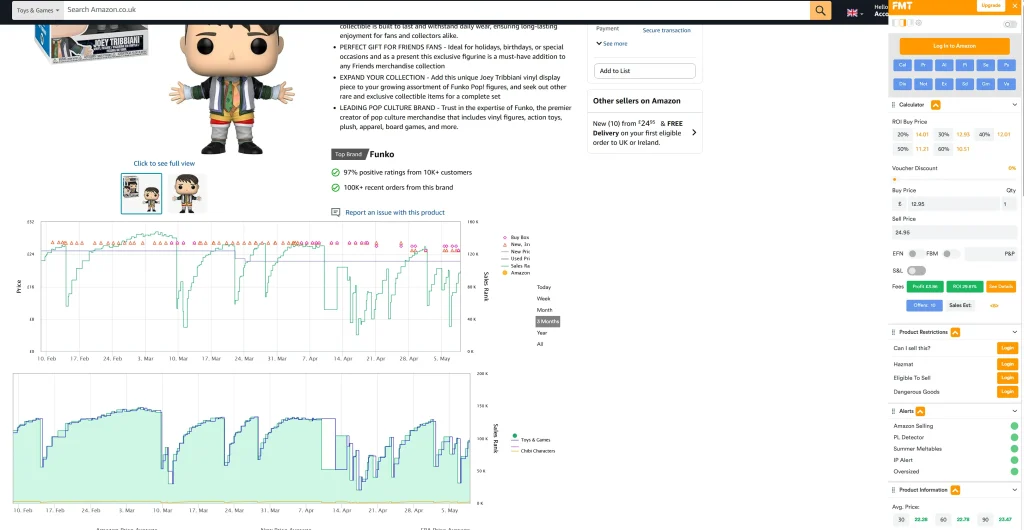
FBAmultitool offers a streamlined approach to checking Amazon price history through its Chrome extension. What makes FBAmultitool unique is that it embeds price history graphs directly on product listing pages across various marketplaces.
The FBAmultitool price history feature:
- Uses Keepa-style data visualization but at a more affordable price point
- Loads automatically when you view product listings
- Works across multiple marketplaces, not just Amazon
- Provides historical pricing data without needing to navigate away from the product page
After installing the FBAmultitool Chrome extension, simply browse to any product listing on supported marketplaces, and the price history graph will appear directly on the page. This integration makes checking price history a seamless part of your shopping experience.
For those who use our Amazon Seller Central Analytics Dashboard, adding price history tracking provides even more context when analyzing market trends.
Setting Up Price Drop Alerts
All three tools—CamelCamelCamel, Keepa, and FBAmultitool—allow you to set up price drop alerts so you’ll know when a product you’re interested in goes on sale.
On CamelCamelCamel, you’ll find a simple form above the price chart for any item that allows you to create price alerts. You can specify your target price and receive email notifications when the price drops below that threshold.
This feature is particularly helpful if you’re not in a rush to purchase an item and can wait for a better deal. Instead of manually checking prices daily, let the alerts do the work for you.
How to Interpret Amazon Price History Data
When examining Amazon price history, here are some key patterns to look for:
- Regular price cycles: Some products follow predictable discount patterns, like seasonal sales or monthly promotions.
- Stock availability impacts: As seen with the AMD 5900X processor example in the CamelCamelCamel data, when Amazon is out of stock (shown as dotted lines on the graph), third-party sellers often appear with significantly higher prices.
- Long-term price trends: Is the item gradually becoming cheaper over time (like electronics often do) or more expensive?
- Price stability: Products with stable prices might be worth buying at any time, while those with frequent fluctuations might reward patient shoppers.
- Fake “sales”: Some sellers raise prices just before a sale only to lower them to their regular level but advertise it as a discount. Price history tools help you identify these deceptive practices.
Frequently Asked Questions About Amazon Price History
How accurate are Amazon price history tools?
Both CamelCamelCamel and Keepa pull data directly from Amazon, making them quite accurate. However, they might occasionally miss very brief price changes that last only minutes or hours. FBAmultitool uses Keepa data, so it shares similar accuracy levels.
Can Amazon price trackers predict future sales?
While they can’t predict sales with certainty, they can show patterns that might suggest when a product is likely to go on sale (like during Prime Day or Black Friday).
Do these tools work for all Amazon products?
These tools work for most Amazon products with established listing histories. New products will have limited historical data until they’ve been on the market for some time.
Are these price history tools free?
CamelCamelCamel offers its basic features for free. Keepa has both free and premium tiers with additional features requiring a subscription. FBAmultitool offers its price history feature as part of its paid subscription, typically at a lower price point than Keepa’s premium tier.
Can I check Amazon price history on mobile devices?
While most of these tools work best on desktop browsers, both Keepa and CamelCamelCamel have mobile-friendly websites. FBAmultitool works primarily as a browser extension for desktop use.
The Bottom Line
Checking Amazon price history before making a purchase can save you money and help you become a more informed shopper. Whether you prefer the simplicity of CamelCamelCamel, the detailed data of Keepa, or the integrated approach of FBAmultitool, these tools give you the power to know if that “deal” is really worth clicking the buy button.
By understanding price patterns and setting up alerts for products you’re interested in, you can shop smarter and catch genuine discounts when they appear. Remember that prices on Amazon change frequently—sometimes multiple times per day—so having access to historical pricing data gives you a significant advantage as a consumer.


