

In the world of Amazon selling, having the right tools can make a significant difference. Two popular options among sellers are the Seller Assistant App Extension and FBAmultitool. Each offers unique features and benefits, but which one is the best fit for your needs? In this article, we’ll break down what each tool brings to the table, helping you make an informed decision for your business.
Key Takeaways
- Seller Assistant App Extension focuses on enhancing productivity with features like bulk restriction checking and price list analysis.
- FBAmultitool offers a comprehensive set of tools for competitor analysis and product research, ideal for sellers looking to expand their market reach.
- Both tools provide user-friendly interfaces, making them accessible for new and experienced sellers alike.
- Pricing structures vary, with each tool offering trial periods to help you assess their value before committing.
- Integration capabilities differ, with Seller Assistant App Extension supporting tools like Zapier for custom workflows, while FBAmultitool emphasizes automation in decision-making.
Understanding Seller Assistant App Extension

The seller assistant app extension is a tool designed to help Amazon sellers streamline their product research and sourcing processes. It aims to provide quick access to essential data, directly within the Amazon interface, to make informed decisions.
Overview of Features
The seller assistant app extension comes packed with features. It provides insights into product profitability, restriction alerts, and competitor analysis.
- Product research tools
- Restriction checker
- Profit calculator
Benefits for Amazon Sellers
Using the seller assistant app extension can bring several benefits to Amazon sellers. It helps in identifying profitable products, avoiding potential listing restrictions, and making data-driven decisions. The seller assistant app can also save time by automating tasks that would otherwise be done manually.
By providing key data points directly on the Amazon product pages, the extension reduces the need to switch between multiple tools and tabs, streamlining the research process.
User Experience and Interface
The user experience is designed to be intuitive and efficient. The interface is clean and integrates seamlessly with Amazon’s website. The extension provides data in a clear, easy-to-understand format, allowing sellers to quickly assess product opportunities. The extension offers a VPN by Seller Assistant for secure internet access.
Exploring FBAmultitool

Key Features and Tools
FBAmultitool is designed to automate online arbitrage, wholesale, and retail arbitrage buying decisions. It uses algorithms to help sellers make data-driven decisions in real-time.
Here’s a quick rundown of what it brings to the table:
- Restriction checker: Quickly identify product restrictions.
- Hazmat checker: Ensures you’re not dealing with dangerous goods.
- Advanced FBA calculator: Helps determine profitability.
FBAmultitool started as a tool to help with restriction checking, hazmat assessments, seller data analysis, and advanced FBA calculations. It has evolved significantly since then, driven by the needs of Amazon sellers who faced challenges without existing solutions.
User Feedback and Ratings
FBAmultitool has a rating of 4.5 out of 5 stars based on 30 ratings. User feedback often highlights its effectiveness in streamlining product analysis and improving decision-making. It’s built by a small team of FBA traders, which means they’re constantly updating and adding features based on user requests. This focus on user needs is a big plus. If you have an idea or don’t see something you’d like to see, you can contact them at [email protected].
Comparison with Other Tools
When comparing FBAmultitool to other tools, it’s important to consider its strengths. For example, SellerBoard is a cost-effective option with a variety of tools. FBAmultitool excels in its FBA calculator and product analysis features. Here’s a quick comparison table:
| Feature | FBAmultitool | SAS | SAA |
| FBA Calculator | Advanced, real-time data | Basic, manual input | Intermediate, some automation |
| Restriction Check | Yes | Yes | Yes, limited |
| Hazmat Check | Yes | No | No |
| Pricing | Varies based on usage | Fixed monthly fee | Tiered pricing |
FBAmultitool offers a 72-hour free trial, so you can test it out before committing to a subscription.
Comparative Analysis of Both Tools
Feature Set Comparison
When choosing between Seller Assistant App Extension and FBAmultitool, it’s important to look at what each brings to the table. Seller Assistant App Extension is known for its in-depth product analysis and quick access to crucial data right on the Amazon page. FBAmultitool, on the other hand, boasts a wide array of features, including sales estimators and Keepa-style graphs. The best choice depends on which features align most closely with your specific needs.
Here’s a quick comparison:
- Seller Assistant App Extension: Focuses on product research, profitability analysis, and restriction alerts.
- FBAmultitool: Offers a broader suite, including deal analysis, auto ungate category, and even virtual assistant time tracking.
- Both tools provide competitor analysis, but they approach it differently. Seller Assistant App Extension might give you a clearer picture of a product’s potential, while FBAmultitool could offer more insights into overall market trends.
Pricing Structures
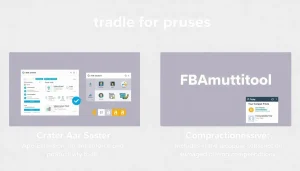
Understanding the pricing of each tool is key to making a sound decision. Seller Assistant App Extension typically offers tiered pricing based on usage, allowing you to scale as your business grows. FBAmultitool might have a different structure, possibly with a flat monthly fee or credits-based system. It’s worth checking for any hidden costs or limitations on features at different price points. Don’t forget to look for Amazon seller app options that fit your budget.
Consider these points:
- Free Trials: Do both offer free trials? This is a great way to test the waters before committing.
- Subscription Levels: What features are included in each tier? Make sure the features you need are available at a price you’re willing to pay.
- Long-Term Costs: Think about how your needs might change over time. Will the pricing structure still make sense as your business evolves?
Target User Demographics
Seller Assistant App Extension seems geared towards sellers who need quick, reliable data for product research and analysis. It’s a solid choice for those who want to make informed decisions fast. FBAmultitool, with its broader feature set, might appeal more to sellers who want a comprehensive toolkit for managing various aspects of their Amazon business. It could be a better fit for larger operations or those who want to conduct thorough product research.
Consider these questions:
- Business Size: Are you a solo entrepreneur or part of a larger team? FBAmultitool’s VA time tracking might be useful for teams.
- Selling Strategy: Do you focus on private label, arbitrage, or wholesale? Some tools are better suited for certain strategies.
- Technical Expertise: Are you comfortable with complex software, or do you prefer a more user-friendly interface? Seller Assistant App Extension might be easier to pick up quickly.
Integration Capabilities
Third-Party Integrations
When it comes to choosing the right tool, how well it plays with others is a big deal. Both Seller Assistant App Extension and FBAmultitool offer some level of third-party integration, but their approaches differ. Seller Assistant App Extension seems to focus on integrations that streamline the product sourcing workflow. For example, it offers integration with Zapier, which lets you connect to thousands of other apps and create custom workflows. This can be super useful if you want to automate tasks like adding product data to a spreadsheet or sending notifications when a product meets your criteria.
FBAmultitool, on the other hand, might emphasize integrations that help with other aspects of your Amazon business, such as accounting or inventory management. It’s worth checking the specific integrations each tool offers to see which one aligns best with your existing software stack.
Automation Features
Automation is the name of the game when you’re trying to scale your Amazon business. Both tools likely offer some level of automation, but the extent and ease of use can vary. Seller Assistant App Extension might offer automation features related to product research, such as automatically calculating profit margins or identifying potential risks. FBAmultitool could focus on automating tasks like repricing or generating reports.
- Automated product research
- Automated repricing strategies
- Customizable alerts and notifications
The key here is to figure out which tasks you want to automate and then see which tool offers the best automation features for those specific tasks. Don’t just assume that one tool is better than the other in terms of automation; do your homework and compare their capabilities.
Data Synchronization
Data synchronization is another important aspect of integration. You want to make sure that the data in your Amazon account is synced with the tool you’re using, and vice versa. This can help you avoid errors and make better decisions. Both Seller Assistant App Extension and FBAmultitool should offer some level of data synchronization, but the frequency and reliability of that synchronization can vary.
A robust data synchronization process ensures that your product information, sales data, and other key metrics are always up-to-date across all platforms.
It’s also worth considering whether the tool offers any data export options. This can be useful if you want to analyze your data in a spreadsheet or import it into another tool. Make sure to check the available data export formats and the level of detail included in the exported data.
User Support and Resources
When you’re trying to decide between Seller Assistant App Extension and FBAmultitool, it’s not just about the features. Knowing you can get help when you need it is super important. Let’s look at what kind of support and resources each tool provides.
Customer Service Options
Seller Assistant App Extension seems to focus on direct support, offering options to contact support team through their website. This is pretty standard, but it’s good to know you can reach out if something goes wrong. FBAmultitool, on the other hand, might rely more on community forums or FAQs for initial support. The speed and quality of responses can really make or break your experience, so it’s worth checking reviews to see what users say about the support they’ve received.
Available Tutorials and Guides
Both tools likely have some form of tutorials or guides, but the depth and accessibility can vary. Seller Assistant App Extension might offer a dedicated “Seller Assistant University” with structured learning paths. FBAmultitool might have a blog with tips and tricks, or a series of video tutorials. Here’s what to look for:
- Comprehensive documentation: Can you easily find answers to your questions?
- Video tutorials: Are there visual guides to walk you through complex features?
- Onboarding support: Do they offer help getting started with the tool?
Community Feedback
Community feedback can be a goldmine of information. Forums, review sites, and social media groups can give you a sense of how other users are experiencing the tools. Look for discussions about common issues, feature requests, and overall satisfaction. A strong community can provide valuable peer support and insights that you won’t find in official documentation.
It’s always a good idea to search for user reviews and forum discussions before committing to a tool. Real-world experiences can give you a much better understanding of the pros and cons than marketing materials alone.
Performance Metrics and Analytics
Sales Tracking Features
Okay, so let’s talk numbers. Both Seller Assistant App Extension and FBAmultitool give you ways to keep tabs on your sales. But how do they stack up? Seller Assistant App Extension is pretty good at giving you a quick overview of your sales trends. You can see how your products are performing over time, spot any dips or spikes, and generally get a feel for the health of your business. FBAmultitool, on the other hand, seems to go a bit deeper. It lets you slice and dice your sales data in different ways, so you can see what’s selling well, what’s not, and why. It’s like having a magnifying glass for your sales figures. Knowing your BSR percentile can give you insights into sales velocity.
Competitor Analysis Tools
Now, let’s get to the fun part: spying on your competition! Both tools offer features to help you see what your rivals are up to. Seller Assistant App Extension gives you a quick snapshot of your competitors’ prices, ratings, and stock levels. It’s enough to get a general idea of the landscape. FBAmultitool, though, takes it to another level. It lets you track your competitors’ sales, see their best-selling products, and even identify their suppliers. It’s like having a secret agent working for you. You can use tools like Keepa Premium Data to get extra functionality and insights.
Market Research Capabilities
Finally, let’s talk about market research. Both Seller Assistant App Extension and FBAmultitool can help you find new product opportunities and assess the potential of different markets. Seller Assistant App Extension gives you access to a database of products, with information on sales, prices, and competition. It’s a good starting point for your research. FBAmultitool, however, goes a step further. It lets you analyze market trends, identify underserved niches, and even predict future demand. It’s like having a crystal ball for your business.
Ultimately, the best tool for you will depend on your specific needs and budget. If you’re just starting out, Seller Assistant App Extension might be a good option. But if you’re serious about growing your business, FBAmultitool is worth considering.
Here’s a quick comparison table:
| Feature | Seller Assistant App Extension | FBAmultitool |
| Sales Tracking | Basic | Advanced |
| Competitor Analysis | Simple | Detailed |
| Market Research | Limited | Extensive |
Choosing the Right Tool for Your Business
Assessing Your Business Needs
Okay, so you’ve read about Seller Assistant App Extension and FBAmultitool. Now comes the big question: which one is actually right for your business? It’s not a one-size-fits-all kind of deal. First, take a good, hard look at what you really need. Are you struggling with product research? Listing optimization? Or maybe keeping tabs on competitors? Knowing your pain points is the first step.
Consider these questions:
- What are your biggest time-wasters in your current Amazon selling process?
- What tasks do you find yourself dreading or putting off?
- What areas of your business are you weakest in?
Answering these questions honestly will help you pinpoint the features that matter most. Don’t get distracted by shiny bells and whistles if they don’t address your core needs.
Long-Term Value Considerations
Don’t just think about today; think about tomorrow. Sure, a tool might solve an immediate problem, but will it still be useful in six months, a year, or even longer? Scalability is key. As your business grows, will the tool grow with you? Will it handle increased data, more complex tasks, and a larger product catalog? Also, consider the long-term cost. A cheaper tool might seem appealing now, but if it lacks features you’ll eventually need, you’ll end up switching and spending more in the long run. Think about the Amazon FBA business model you are using.
Here’s a quick checklist for long-term value:
- Scalability: Can the tool handle your future growth?
- Feature Updates: Does the provider regularly update the tool with new features and improvements?
- Integration: Does it play well with other tools you might use in the future?
Trial and Subscription Options
Always, always, always take advantage of free trials. Most tools offer some kind of trial period, and it’s the best way to get a feel for the software before committing. Pay attention to the fine print. What features are included in the trial? How long does it last? What happens after the trial ends? Also, compare the different subscription tiers. Do you really need the most expensive plan, or will a cheaper one suffice? Don’t be afraid to start small and upgrade later if needed. Some tools, like Helium 10, offer free accounts to get you started.
Final Thoughts
In the end, both the Seller Assistant App Extension and FBAmultitool have their own strengths and weaknesses. If you’re looking for a tool that helps with product sourcing and offers a range of features, Seller Assistant might be the way to go. On the flip side, if you want something that focuses on keyword optimization and competitor analysis, FBAmultitool could be a better fit. Ultimately, it comes down to what you need for your Amazon FBA business. Try them out and see which one clicks for you. Your feedback is always welcome, so let us know what you think!
Frequently Asked Questions
What is the Seller Assistant App Extension used for?
The Seller Assistant App Extension helps Amazon sellers manage their businesses better. It offers tools for tracking sales, managing listings, and analyzing competitors.
How does FBAmultitool assist Amazon sellers?
FBAmultitool is designed to help sellers grow their FBA businesses by providing features like keyword research, product analysis, and competitor tracking.
Can I try these tools for free?
Yes, both Seller Assistant App Extension and FBAmultitool offer free trials. This allows you to explore their features before deciding to subscribe.
Which tool is better for beginners?
Both tools are user-friendly, but FBAmultitool is often recommended for beginners due to its simple interface and helpful features.
Are there any additional costs associated with these tools?
While both tools offer free trials, they may have subscription fees afterward. Check their websites for specific pricing details.
Can these tools integrate with other software?
Yes, both tools can connect with various third-party applications, enhancing their functionality and making it easier to manage your Amazon business.


